Capture hooks
Create and manage the public endpoints that turn website form submissions into leads.
By the end of this page you'll have a capture hook with a public URL your website forms can post to, and you'll know how to pause it, archive it, or rotate its token.
What a capture hook is
A capture hook is a public endpoint that turns form submissions into leads. Each hook gets its own URL containing an unguessable token:
https://api.smileline.io/capture/YOUR_TOKENThe token identifies your practice — no API key or login is needed on your website. When a submission arrives, SmileLine matches or creates the patient, opens a journey for the hook's default treatment, and records an attribution touch (see Attribution).
Manage hooks under Settings → Capture hooks.
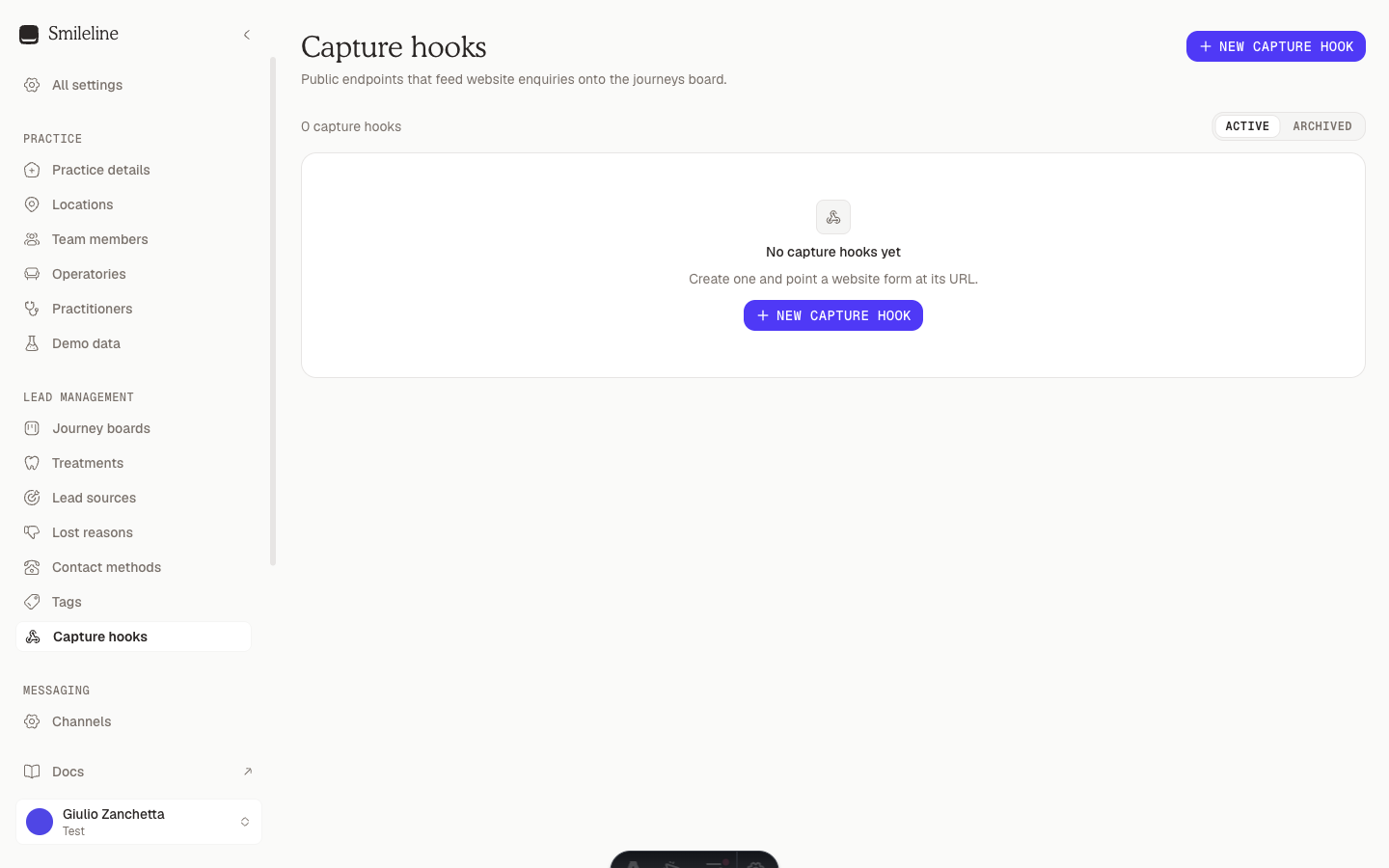
Only owners and admins can create or change capture hooks. Members see the list read-only.
Create a hook
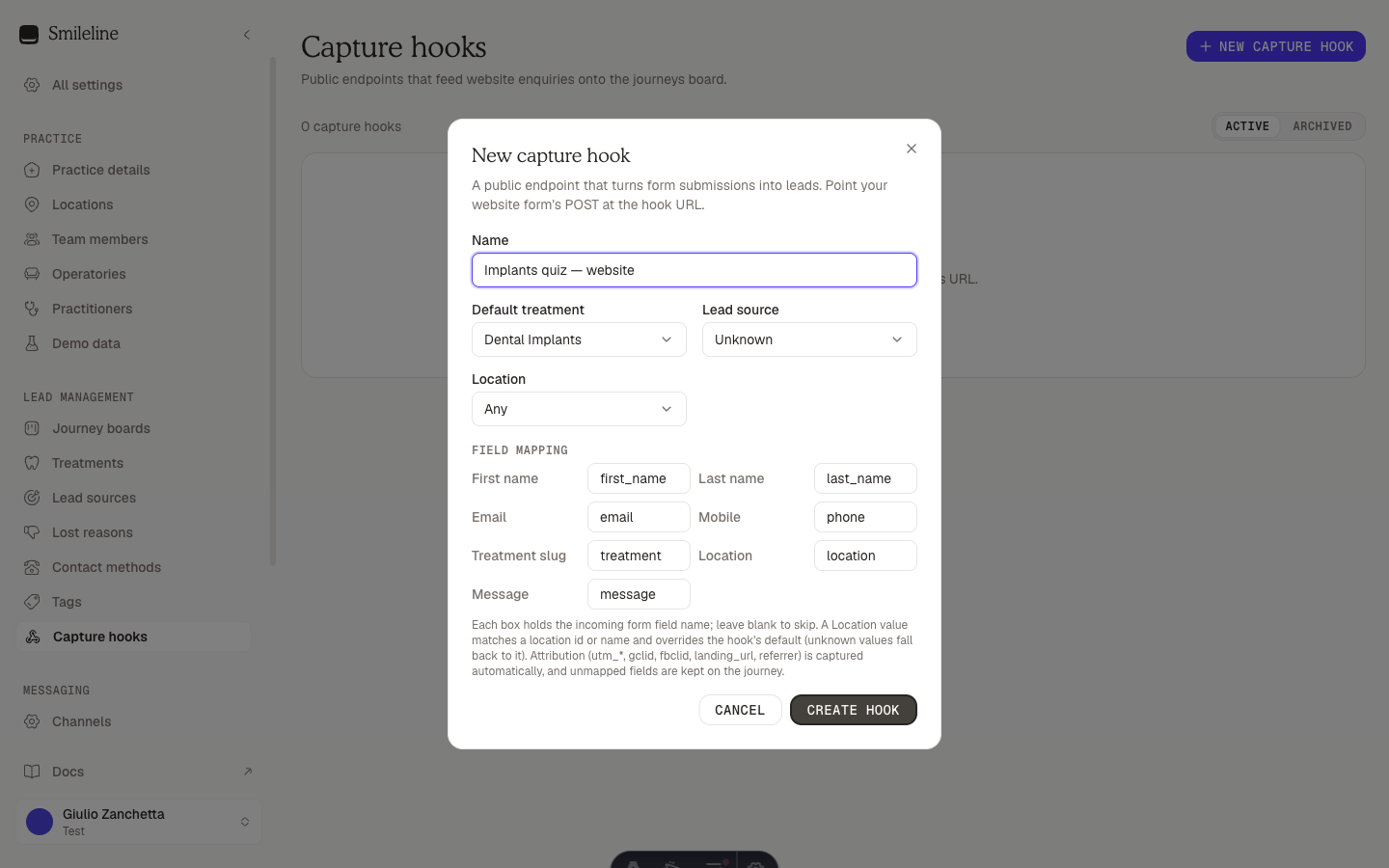
Go to Settings → Capture hooks and click New capture hook.
Give it a Name that identifies the form, e.g. "Implants quiz — website".
Pick a Default treatment. This is required — it's the treatment a journey is opened for when the form doesn't say otherwise.
Optionally pick a Lead source (stamped on new patients) and a Location (for multi-site practices; leave as Any to let the form decide).
Review the Field mapping. Each box holds the incoming form field name that fills a patient field — the defaults (first_name, last_name, email, phone, treatment, location, message) work for most forms. Leave a box blank to skip that field.
Click Create hook, then use the copy button next to the endpoint in the list to grab the URL for your website.
Point your form at the URL — see Embedding forms.
Pause and resume
Pausing stops intake without deleting anything: open the row's ⋯ menu and choose Pause. A paused hook shows a Paused badge and its public URL answers 404 until you choose Resume.
Use this for seasonal campaigns or while a form is being rebuilt.
Regenerate the token
If a hook's URL leaks — it's visible in your website's HTML, so treat it as semi-public — mint a fresh one: open the row's ⋯ menu and choose Regenerate token.
The previous endpoint URL stops working immediately. Update every form that posts to this hook before regenerating, or submissions will be lost.
Archive and restore
Archiving retires a hook for good (its URL answers 404) while keeping its history and attribution intact:
- Archive: open the row's ⋯ menu and choose Archive. An Undo action appears briefly in the confirmation toast.
- Restore: switch the view to Archived and click the restore icon on the row.
Restoring only un-archives. A hook that was paused before archiving comes back paused — choose Resume to reopen intake.
Good to know
- Unknown, paused and archived tokens all answer the same
404, so outsiders can't probe which tokens exist. - Each hook is rate limited independently, so a burst on one form can't drown out the others.
- The endpoint itself is documented in the API reference under the Capture group at /reference.