Channels
How WhatsApp, SMS, email, Telegram, Messenger, Instagram, TikTok, comments and live-chat messages reach the Inbox, and the rules for each channel.
Smileline connects your messaging channels into one shared Inbox: WhatsApp, SMS (via Twilio, or from your own Voice number), Email, Telegram, Messenger, Instagram DMs, TikTok direct messages, Facebook and Instagram comments, and Live chat (the website chat widget). This page explains how messages flow into the Inbox and what each channel allows, so you know what to expect when replying.
How conversations flow in
Once a channel is connected, inbound messages arrive in the Inbox automatically:
- A message from a number or address Smileline already knows lands in that patient's existing thread.
- A message from a sender who is not linked to a patient opens a new conversation. The conversation and Contact details panel show the sender's name when available, otherwise their number, address or channel ID. Link it to a patient so it lands on their timeline.
- A patient reply reopens a closed or snoozed conversation, so it always resurfaces in the Open tab.
- A message that arrives while its connection is paused or in error (a failed Test, an expired token) is kept and delivered into the Inbox once the connection is active again — it is never lost.
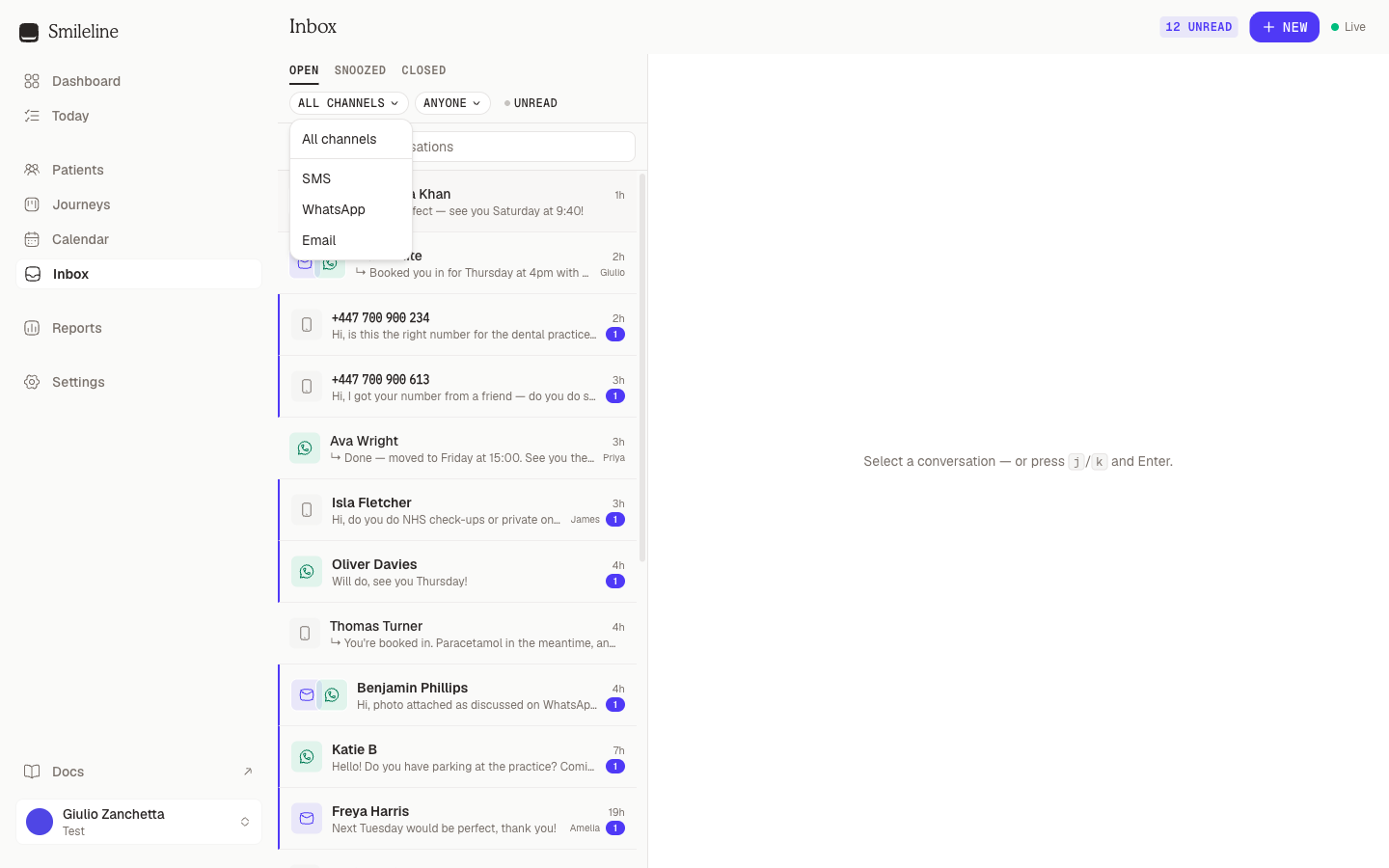
Each patient has a single thread that can span channels. Their WhatsApp messages, texts and emails all appear in one conversation, and every message carries the icon of the channel it travelled on.
Replying STOP by WhatsApp or SMS immediately blocks that channel for the linked contact, even if the connection has just been paused or disconnected. Provider retries do not append another opt-out record. One shared contact can represent up to 25 patients. If a legacy contact exceeds that limit, Smileline keeps the whole contact blocked while the patient links are reviewed. START can restore consent only through an active connection and cannot clear a block that still needs review.
On Messenger and Instagram, STOP works differently: it stops only the Instagram DM and Messenger campaigns of the Page or Instagram account it was sent to, and START resumes them. Only a typed STOP or START counts, never a tapped button with that label. Your team can still reply in the Inbox, and Auto-DM replies still go; the automatic holding message does not.
Incoming attachments on WhatsApp, Telegram, Messenger, Instagram, comments and MMS can briefly show Loading… while Smileline copies them from the provider into durable storage. That copy is retried automatically if the provider or storage is temporarily unavailable. If the provider no longer makes the file available after all retries, the thread shows Attachment unavailable rather than loading forever.
Photos and stickers show inline, and videos and voice notes play in the thread. PDFs, documents, active content and unknown file types download instead of opening as a page on the API origin. Every file chip shows its size.
Now and then a channel sends something Smileline can't display — a card sent by another tool, someone else's contact card, a poll, or a message type the provider itself marks unsupported. It still lands in the thread, as This message can't be shown here. Open it in Messenger to see it. (naming the channel it came from), and the original is kept for review so nothing is lost. A WhatsApp reaction shows as its emoji.
Live chat threads come from the website widget. Replies you type are pushed to the visitor's browser in real time (with your first name, so they know a human joined), and the contact panel shows which page they're chatting from. Templates aren't available on live chat, but attachments are — in both directions: visitors can paste, drag or pick a file in the widget, and you can reply with one from the composer. The widget's own visitors show read ticks on your latest message once they've seen it.
Choosing a channel for a reply
When a thread spans channels, the composer's channel picker decides which one your reply rides. It defaults to the channel the patient last wrote on that is still connected — after you reconnect an account, replies go out on the new connection. A channel is unavailable when its connection is disconnected or the patient has opted out — the picker greys it out and shows the reason (Channel disconnected or Patient opted out).
Channel rules
WhatsApp allows free-text replies only within 24 hours of the patient's last message (the "24-hour window"). While the window is open, the composer shows a countdown when it's about to close. Once it closes, the composer switches to approved templates only — pick one to restart the conversation, reply on another channel, or leave an internal note instead. Reopen chat (WhatsApp) comes first: a short apology for the late reply that asks the patient to write back, so the window opens again. In the mobile app the approved templates appear as buttons above the reply box; when a chat covers several patients, send the template from the Smileline app on your computer, where you can choose who it is about. Starting a brand-new WhatsApp conversation also requires an approved template. See Message templates.
One attachment per message while the window is open, following WhatsApp's own media rules: JPEG or PNG photos up to 5 MB and MP4 video or audio up to 16 MB go out as media; a small WebP goes out as a sticker; anything else — a PDF, a Word document, a GIF, a larger photo — is delivered as a file the patient can open, exactly as WhatsApp itself does. Text sent with a photo, video or file becomes its caption; WhatsApp has no caption on a voice note or sticker, so the composer asks you to send that text separately.
If you connected your WhatsApp Business app, new messages your team sends there also appear in Smileline, labelled sent outside Smileline. They are shown as outbound messages without an unread notification or a new reply window. Earlier chats are not imported.
When a patient deletes a WhatsApp message, its bubble becomes Message unsent — the history stays, the content goes. WhatsApp does not share edits, pins or other actions on earlier messages: they appear as This message can't be shown here. Open it in WhatsApp to see it. without marking the chat unread or notifying anyone. Content WhatsApp can't deliver to Smileline, such as a poll, shows the same line but counts as a new message. When a patient changes their WhatsApp number, a line in the thread says so; new messages from the new number arrive as that number writes in.
No subject lines. Sent through your connected Twilio number, or from your own Smileline Voice number once texting is enabled on it (see Settings → Channels). A text of HELP or INFO is answered automatically with the practice's name, contact details and opt-out instructions — once per request, even after STOP.
MMS — picture messages — exists only between US and Canadian numbers, so the paperclip appears when both your sending number and the patient's are +1 and stays hidden otherwise. From a Voice number a message carries up to 10 files and 1 MB of media in total (JPEG, PNG, GIF, MP4, 3GP or a vCard); on Twilio, up to 10 files and 5 MB. Incoming MMS photos and videos land in the thread like any other attachment.
Supports subject lines, formatted content and attachments. When replying, leave the subject blank to continue the thread's latest subject. Long emails are collapsed in the thread — click Show full email to expand.
An outbound email can include up to 20 attachments, each no larger than 16 MiB and no larger than 25 MiB combined. An incoming email is limited to 25 MiB for the complete raw message and up to 20 attachments, each no larger than 10 MiB and no larger than 20 MiB combined. A connected Outlook mailbox uploads files over 3 MB in parts, as Microsoft requires; a connected Gmail mailbox refuses the executable file types Google blocks (.exe, .bat, .js, .msi and similar), and the composer says so before sending.
For abuse and cost protection, each connected email address accepts a fair-use quota of up to 10,000 incoming messages or 10 GiB of raw email per UTC day, whichever is reached first. Mail above a limit is refused with an error naming the reason, so the sending server returns it to the sender rather than the message silently disappearing — nothing is ever partially imported.
When a page contains several exceptionally large formatted emails, Smileline may show the safe plain-text version for later messages instead of loading more stored HTML. The message and its attachments remain in the conversation.
A connected Gmail or Outlook mailbox behaves the same in the composer, with replies sent from your own address and filed in the mailbox's Sent folder. Incoming mail written by a person creates or continues a conversation; newsletters, no-reply notifications, auto-responders and delivery reports stay in the mailbox and are skipped, as does anything Gmail has labelled spam or trash and any message over the 25 MiB limit. Each skip is recorded: the connection's card under Settings → Channels shows 12 emails skipped under its status line once the count is above zero, and if the rules change later that mail can be brought in without re-syncing the mailbox. A mailbox whose sync paused after repeated failures says so on its card under Settings → Channels; a successful Test there resumes it. Mail your team sends directly from Gmail or Outlook appears in the thread labelled as sent outside Smileline.
Telegram conversations start with the patient: they message your practice's bot, and the thread appears in the Inbox. Replies go out as the bot, with no time window — you can reply whenever consent allows. New conversations cannot be started from Smileline on Telegram.
Messages are plain text up to 4,096 characters. A reply can carry one attachment, and text sent with an attachment is its caption, limited to 1,024 characters — the composer refuses anything longer before it sends. Photos, GIFs, MP4 videos, MP3/M4A audio and OGG voice notes go out in Telegram's own form for each; anything else goes as a document. Incoming photos, GIFs, documents, voice notes, stickers and videos up to 16 MiB are copied into the conversation like WhatsApp media.
Messenger and Instagram direct messages allow replies within 24 hours of the person's last message, with no template escape. The composer shows a countdown as the window nears its end.
Meta's Human Agent rule lets a person on your team answer for up to 7 days after the person's last message, for enquiries that need longer than a day. Where Smileline has Meta's approval for it, a reply you write in the Smileline app or mobile app after the first 24 hours goes out as a staff support reply, and the composer says so above the reply box. Use it only to continue the person's enquiry — never for promotions. Automated messages, Social campaigns, Auto-DMs and messages sent through the API or a connected app keep the 24-hour limit, and only a person can retry a staff support reply. Once the window closes the endpoint shows Too long since their last message to reply here, your draft stays in the box, and you reply on another channel instead; a new message from the person opens the window again.
Meta's messages carry only an account id. Smileline looks up the person's Meta profile, then checks the participants in that specific conversation if the profile gives no name. Messenger uses the person's name; Instagram uses their profile name or @username. Meta must grant access to the requested information. If neither lookup provides a name, the thread keeps the id and tries again when another message arrives. A full profile name automatically links an unassigned conversation when it exactly matches one eligible patient's first name and surname in your practice, ignoring capitalisation and extra spaces. A username or a name shared by several patients needs a manual link. Existing names and patient links are preserved. See patient matching and linking.
Messages that arrive while another tool (a separate inbox product connected to the same Page) owns the conversation still land in the thread, but Meta refuses replies from Smileline until that tool releases the conversation. Replies staff type in Meta's own apps appear in the thread too, labelled sent outside Smileline, so the conversation always reads complete. When someone unsends a message, the bubble becomes Message unsent — the history stays, the content goes. A reply can carry one attachment while the window is open, sent without text (Meta has no caption): on Messenger any image, video, audio or file; on Instagram a JPEG or PNG image, an MP4/MOV/WebM video, AAC/M4A/WAV audio, or a PDF — the composer refuses other formats before sending. Incoming stickers, reels and shared posts arrive in the thread too. When someone taps a button in a Messenger or Instagram message, the tap appears in the thread as their reply, showing the button's label. A tap on the button of a Social Auto-DM appears the same way, but it doesn't notify your team or mark the conversation unread: Smileline answers it with the automation's link.
TikTok conversations start with the patient: they message your practice's TikTok Business Account, and the thread appears in the Inbox named after their TikTok profile. New conversations cannot be started from Smileline on TikTok.
Replies are allowed only within 48 hours of the patient's last message, with no template escape — once the window closes the endpoint shows Too long since their last message to reply here and you reply on another channel instead. TikTok also limits a business to 10 consecutive messages before the patient answers again; a reply over that limit fails with TikTok's reason on the message.
Replies are text-only. Incoming photos are copied into the conversation; a shared TikTok post arrives as its link; stickers, videos and voice notes arrive as Unsupported TikTok message. Open TikTok to view it. so nothing goes missing. Replies your team types in the TikTok app appear in the thread too, labelled sent outside Smileline.
TikTok does not deliver direct messages through its API for Business Accounts registered in the United Kingdom, the European Economic Area, Switzerland or the United States; see Settings → Channels.
Comments on your Facebook Page posts and Instagram posts arrive as conversations, one thread per person — all of someone's comments across posts share a thread, and each message notes which post it was on.
A Public reply | Private reply switch at the right of the composer's Reply and Note tabs picks where the reply goes: Public reply posts under the comment; Private reply sends a one-time DM (Meta allows one private reply per comment, within 7 days). A public reply on a Facebook comment can carry one image (JPEG, PNG or GIF); private replies and Instagram comment replies are text-only. If the person answers your private reply, the conversation continues as an ordinary Messenger or Instagram DM thread. A comment the author deletes becomes Message unsent in the thread.
Social's Auto-DM automations answer comments too, and everything they send carries an Auto-DM label, which opens the automation for everyone who can open Social. They share Meta's one private reply per comment with the Private reply switch: once an automation has answered a comment privately, a private reply to that comment from the Inbox fails, and an automation skips a comment your team has already answered privately.
Replies your team posts directly on Facebook or Instagram appear in the thread of the person they answer or tag, labelled sent outside Smileline. If that person's comment predates the connection, it is pulled into the thread too, without being marked unread — usually within 5 minutes. A reply Smileline can't attribute to anyone waits in the review queue; your Page's own comments that answer no one are not shown.
Attachment limits depend on the channel, and the composer shows the rule for the channel you are replying on (hover the paperclip). Every upload is limited to 16 MiB per file. Outbound email supports up to 20 files and 25 MiB combined; incoming email allows up to 20 files, 10 MiB per file and 20 MiB combined.
Reply windows and reminders
WhatsApp, Messenger and Instagram only let you reply for a limited time after the customer's last message (see the tabs above). Smileline warns your team before an unanswered chat closes and, if nobody gets to it, sends the customer one holding message.
Chat closing soon alerts
If nobody has replied, Smileline alerts your team 1 hour and 10 minutes before the chat's reply window closes. The alert goes to the conversation's assignee — conversations are assigned automatically. If nobody is assigned, or the assignee can't receive chat alerts (their role can't take chats, or they are suspended), everyone who receives patient-reply notifications is alerted. Its title names the customer, the channel and the closing time in your practice's timezone — for example "Reply to Alex Brown on WhatsApp before 14:30" — and clicking it opens the conversation.
Alerts arrive in the bell and by push, never by email; a push that can't arrive before the chat closes is dropped. Each person can switch them off under Settings → Notifications.
On Messenger and Instagram, where Smileline has Meta's approval for Human Agent (see the Messenger & Instagram tab), a person can reply for up to 7 days, so the alerts count down to the 7-day close instead of the 24-hour one. On WhatsApp the window always closes after 24 hours; after that you can only send an approved template, and Reopen chat (WhatsApp) is the first one offered. See Message templates.
The automatic holding message
WhatsApp, Messenger and Instagram allow automatic messages for only 24 hours after the customer's last message. If nobody has replied, Smileline sends one holding message before that limit:
- It goes once per customer message, aiming for 10 minutes before the limit.
- It goes only inside your practice's sending hours. If the limit falls outside them, it goes 10 minutes before your sending hours end on the last day before the limit.
- It never goes within 1 hour of the customer's message. If the only possible moment is earlier than that, no holding message is sent.
- Without the AI add-on it sends your practice's standard text with the customer's first name.
- With the AI add-on, AI writes a short personalised message in the customer's language: it thanks them, mentions what they wrote about in general words, says the team will reply here, and invites them to reply to keep the chat open. Fixed checks and a second, independent AI check reject anything else — advice, prices, dates or times, availability, links or phone numbers — and Smileline sends the standard text instead. The standard text is also used when the customer mentions pain or an urgent problem, asks for a person or sounds frustrated.
- It always ends with (Automatic message), or (Automatic message written with AI) when AI wrote it.
The holding message does not extend the reply window: only a new message from the customer does. If it can't be sent before the limit after trying, an internal note in the thread says so, so you can follow up yourself. If things change after it is queued — someone replies, the customer writes again, the chat is closed, the switch is turned off or sending hours end — it is cancelled and shows Not sent — no longer needed.
The holding message is on for every practice by default. Turn it off, or write your own text, under Settings → Practice details.
When nothing is sent
There is no alert and no holding message when:
- A person has already replied — in Smileline on the web or the mobile app, or in Meta's own apps or the WhatsApp Business app. Automatic messages, campaigns and messages sent through the API or a connected app don't count.
- The conversation is closed.
- The customer's last message only acknowledges or signs off — "ok", "thanks", "bye", 👍, "grazie", "gracias" and the like. A message with a question, a number, an attachment or anything more is always treated as needing a reply.
The holding message alone is also skipped, while the alerts still go, when:
- The contact represents several patients. An internal note in the thread explains, and you reply yourself.
- The customer sent STOP — on WhatsApp, or to that Page or Instagram account on Messenger and Instagram.
- Your practice has switched it off.
- AI judges the message needs no answer (AI add-on only).
If you use Meta's instant replies or away messages, Smileline may count them as a reply from your team. That chat then gets no alert and no holding message.
Connecting and managing channels
Channels are set up in Settings → Channels by an owner or admin: choose Add channel to connect a WhatsApp number, an SMS number, an email address or a Telegram bot, then use Test to verify the connection. The full setup walkthrough, including the webhook and inbound-address details your provider needs, lives in Settings → Channels.
If no channel is connected yet, the New conversation dialog will tell you — connect one in Settings → Channels first.